

Optical Multimeters Y1 5-15KM Optical power meter and visual fault locator
SGZ310 Optical Multi-Meter – Professional Fiber Optic Tester with VFL & 9 Wavelengths
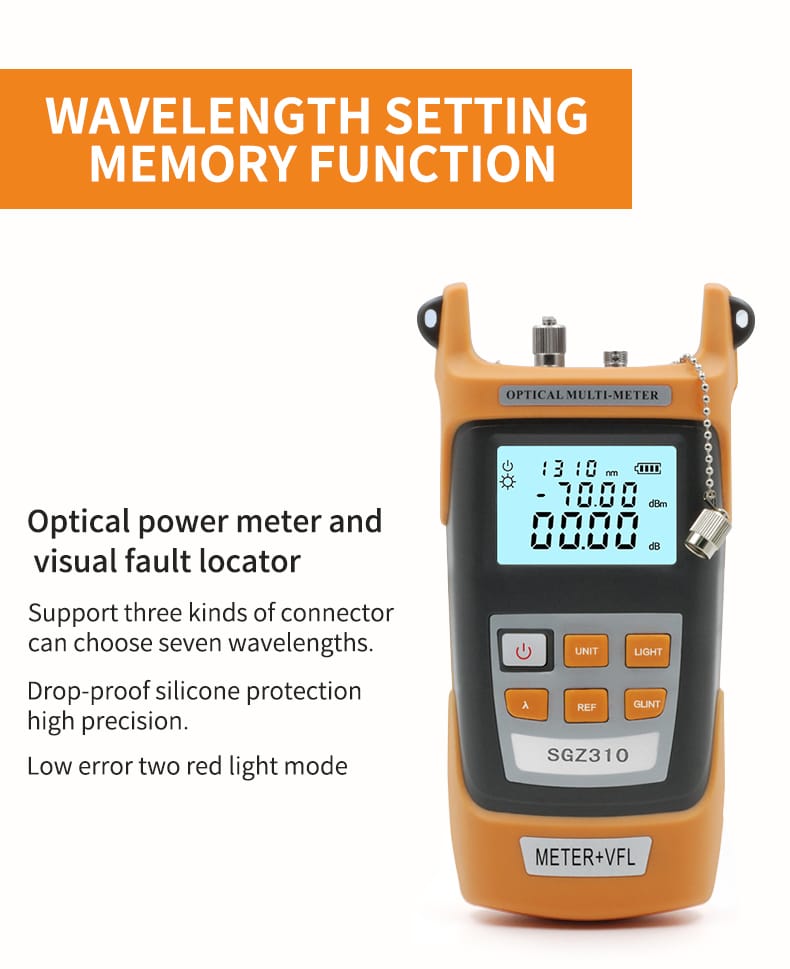
The SGZ310 Optical Multi-Meter is a professional-grade combination device integrating an optical power meter and visual fault locator (VFL) in one compact unit. With 9 selectable wavelengths, wavelength memory function, automatic frequency recognition, and three backlight modes, this versatile tester is perfect for telecommunications technicians, network installers, and fiber optic professionals who require accurate measurements and fault location capabilities.
🎯 Key Features:
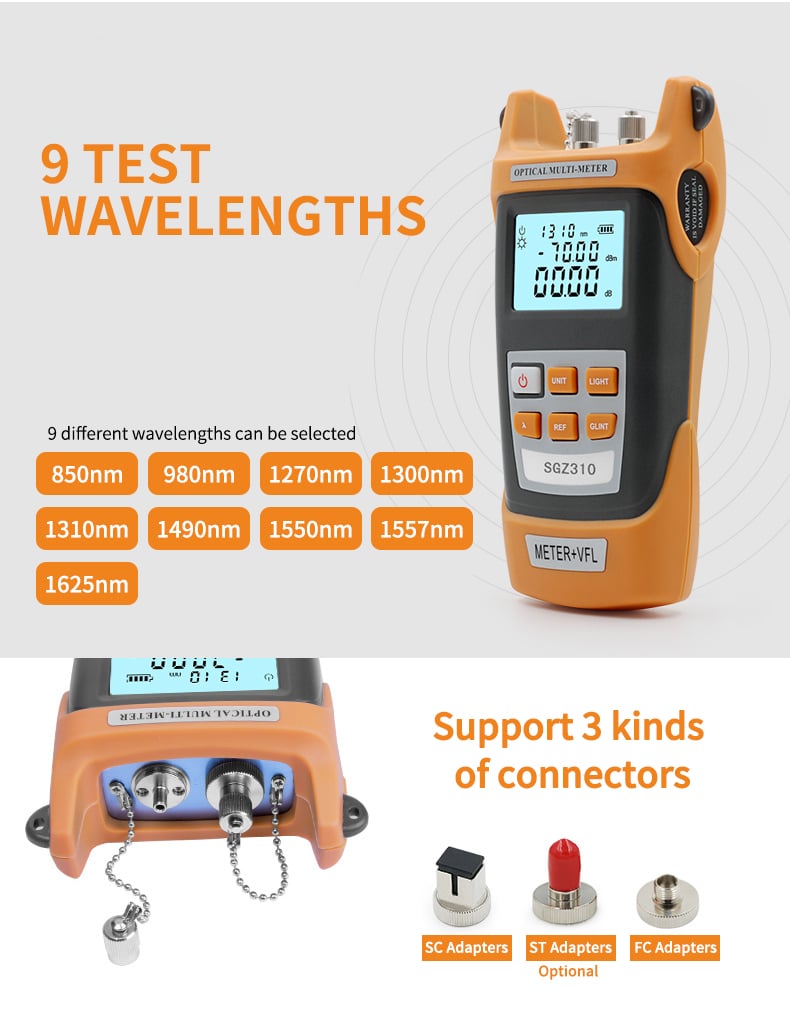
📊 9 Test Wavelengths
Select from 9 wavelengths: 850nm, 980nm, 1270nm, 1300nm, 1310nm, 1490nm, 1550nm, 1557nm, 1625nm with wavelength setting display on LCD.
💡 Dual Red Light Modes
650nm red light with constant and flashing modes for visual fault location and fiber tracing.
🔌 3 Connector Support
Compatible with SC, ST, and FC adapters (optional) for versatile fiber testing applications.
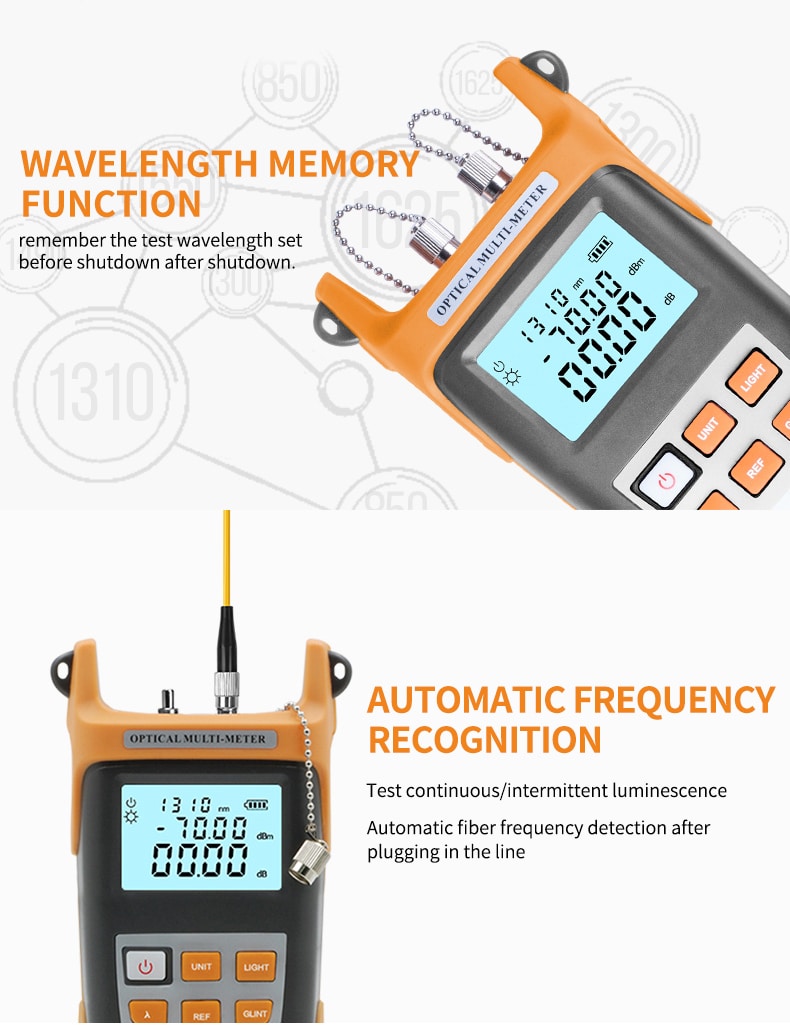
💾 Wavelength Memory
Remembers the test wavelength set before shutdown for convenient continued use.
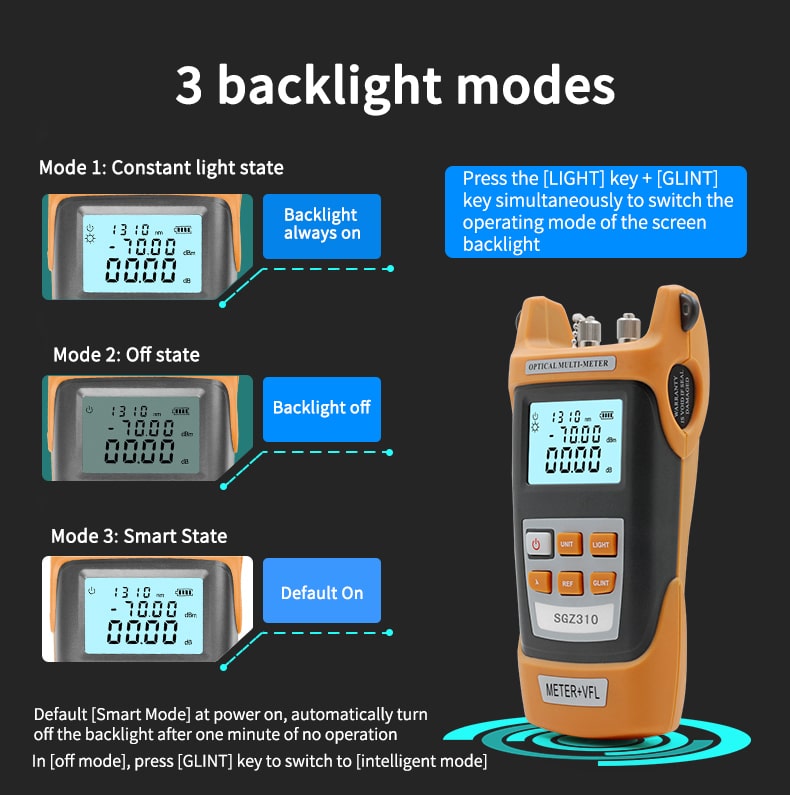
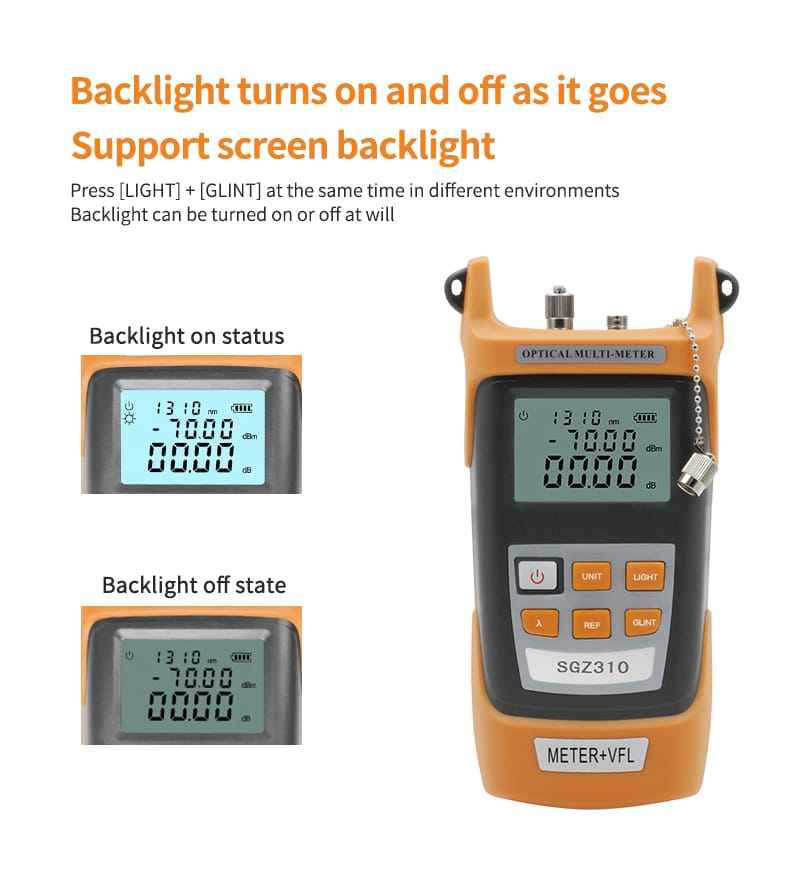
📱 3 Backlight Modes
Constant light, off, and smart modes with auto-off after 1 minute of inactivity.
🛠️ Replaceable Ceramic Core
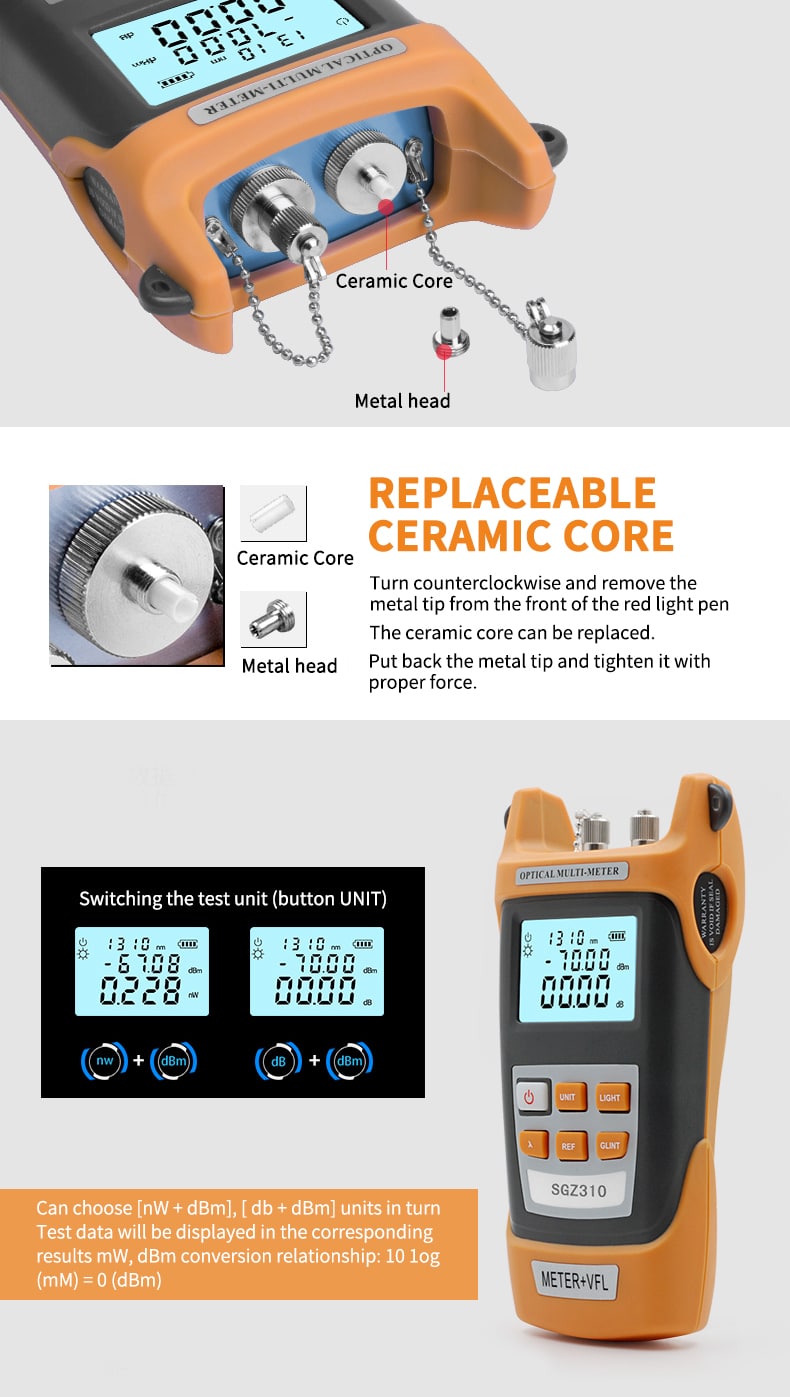
Metal head with replaceable ceramic core for easy maintenance and extended device life.
💡 Professional Functions:
- Automatic Frequency Recognition: Detects continuous/intermittent fiber luminescence after plugging in the line
- Reference Value Setting: Set current test results as reference for relative power measurement
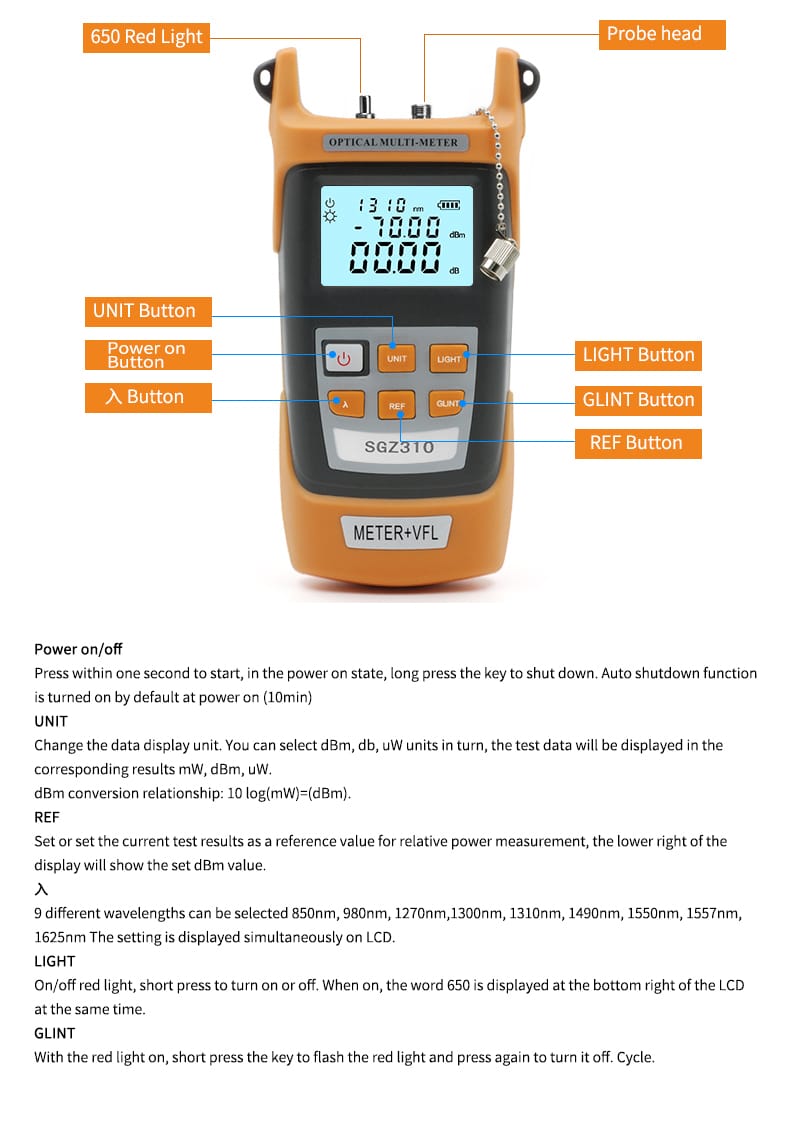
- Multiple Display Units: Select between dBm, dB, μW, mW units with 10 log(mW) = dBm conversion
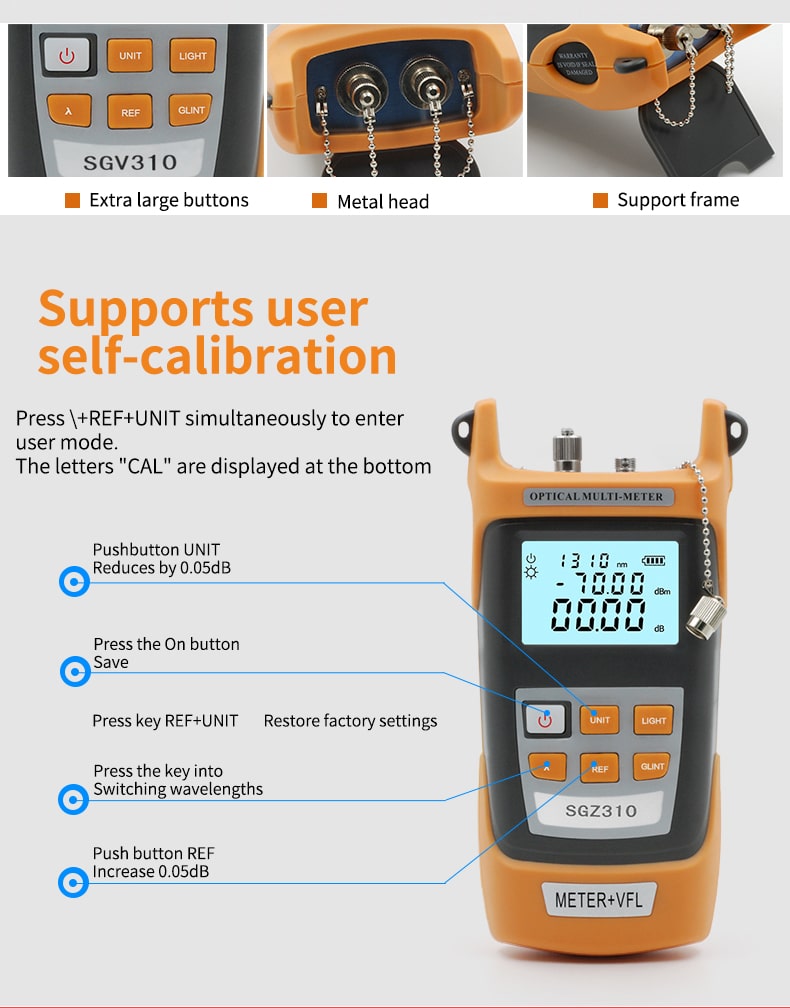
- User Self-Calibration: Enter calibration mode by pressing REF+UNIT simultaneously
- Auto Shutdown: Default 10-minute auto shutdown conserves battery (can be enabled/disabled)
- Factory Reset: Press REF+UNIT simultaneously to restore factory settings
🔦 Red Light Functions:
- 650nm Red Light: High-visibility red light for visual fault location
- Constant Mode: Short press LIGHT button to turn on/off constant red light
- Flashing Mode: With red light on, short press GLINT button to activate flashing mode
- LCD Indicator: “650” displayed at bottom right of LCD when red light is active
- Dual Purpose: Both for fiber tracing and as a troubleshooting tool
- Easy Control: Dedicated buttons for quick light mode switching
🎮 Button Functions & Operations:
🔘 Power Button
Press within 1 second: Power on the device
Long press in power-on state: Shut down the device
Auto shutdown: Default 10-minute auto shutdown enabled
🔘 UNIT Button
Unit Switching: Change display units (dBm, dB, μW in sequence)
Display Formats: Test data shown in mW, dBm, μW with conversion
Calibration: Used in combination for user calibration mode
🔘 REF Button
Reference Setting: Set current test results as reference value
Relative Measurement: Display shows set dBm value at bottom right
Calibration: Increase by 0.05dB during user calibration
🔘 Wavelength Button
Wavelength Selection: Cycle through 9 different wavelengths
LCD Display: Current wavelength shown simultaneously on LCD
Calibration: Decrease by 0.05dB during user calibration
🔧 User Calibration Mode:
Enter Calibration:
Press REF+UNIT simultaneously
Increase Value:
Press REF button (+0.05dB)
Decrease Value:
Press UNIT button (-0.05dB)
Factory Reset:
Press REF+UNIT to restore
💡 Backlight Modes:
☀️ Mode 1: Constant Light
Backlight always on for consistent visibility in any lighting condition. Ideal for extended testing sessions.
🌙 Mode 2: Off State
Backlight completely off for maximum battery conservation. Press any button to temporarily activate.
🤖 Mode 3: Smart Mode (Default)
Default setting at power on. Automatically turns off backlight after one minute of no operation to save power.
🔄 Backlight Control:
Switch Modes: Press LIGHT + GLINT buttons simultaneously to cycle through backlight modes
Default Mode: Smart mode activated at power on
Mode Switching: In off mode, press GLINT key to switch to intelligent mode
🔧 Replaceable Ceramic Core:
Easy Replacement Process:
- Turn counterclockwise and remove the metal tip from the front of the red light pen
- Replace the ceramic core as needed
- Put back the metal tip and tighten with proper force
Benefits:
- Extends device lifespan
- Reduces maintenance costs
- Easy field maintenance
- Metal head for durability
💡 Professional Applications:
Fiber Optic Installation: Power measurement and visual fault location • Network Maintenance: Troubleshooting and continuity testing • Telecommunications: Fiber link loss measurement • CATV Systems: Cable television signal verification • Data Centers: Fiber connectivity testing • FTTH Deployments: Fiber-to-the-home installation and testing • Educational Use: Fiber optic training and laboratory work
⚠️ Important Notes:
- Wavelength Memory: Device remembers last used wavelength setting after shutdown
- Automatic Frequency Recognition: Detects fiber transmission frequency after connection
- Reference Value: Set current measurement as reference for relative power measurements
- Drop Protection: Silicone protection provides shock absorption and drop resistance
- High Precision: Low error measurement for professional accuracy requirements
- Adapter Options: SC, ST, and FC adapters available separately for different connectors
📦 Package Includes:
- SGZ310 Optical Multi-Meter (Main Unit)
- 650nm Red Light Probe Head
- User Manual
- Replacement Ceramic Core
- Warranty Card
- Packaging Box
Note: SC, ST, and FC adapters are optional and available separately based on your connector requirements.
The SGZ310 Optical Multi-Meter combines professional optical power measurement with visual fault location capabilities in a single, durable device. With its 9 wavelength options, automatic frequency recognition, wavelength memory, and user-friendly controls, it’s an essential tool for fiber optic professionals who need reliable performance for both testing and troubleshooting applications.


Reviews
There are no reviews yet